> ## Documentation Index
> Fetch the complete documentation index at: https://docs.ipmideck.com/llms.txt
> Use this file to discover all available pages before exploring further.
# Dell iDRAC
> Enable IPMI-over-LAN on Dell iDRAC (iDRAC6 / iDRAC7 / iDRAC8 / iDRAC9) so ipmideck can connect to your PowerEdge server.
**Applies to:** Dell iDRAC6, iDRAC7, iDRAC8, iDRAC9 (PowerEdge servers). The screenshots
below are from iDRAC6; iDRAC7 and iDRAC8 are nearly identical, and iDRAC9 reorganizes the
same settings under *iDRAC Settings → Connectivity → Network* (see the note at the end).
Dell iDRAC is **Supported / tested** with ipmideck. These steps are from official Dell
documentation and a real iDRAC6, confirm the navigation path matches your iDRAC firmware
before relying on it.
## Steps
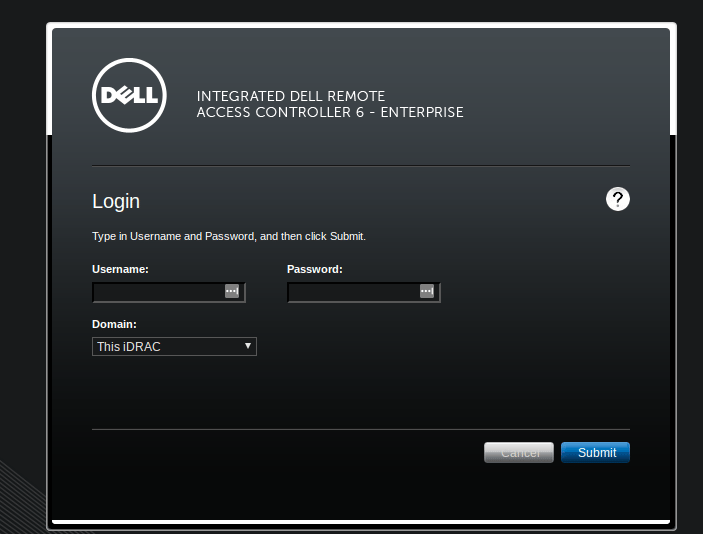
In a browser, navigate to the iDRAC IP address (factory default `192.168.0.120`) and
log in. The default PowerEdge credentials are **root** / **calvin**, change these
immediately if they are still in use.
 In the left pane choose **iDRAC Settings**, then open the **Network/Security** tab and
its **Network** sub-tab. This page holds the IPv4 settings and, further down, the
**IPMI Settings**.
On **iDRAC9** the equivalent path is **iDRAC Settings → Connectivity → Network**.
Scroll to the **IPMI Settings** section and tick **Enable IPMI Over LAN**. Set the
**Channel Privilege Level Limit** to **Administrator** (or at least Operator) so
ipmideck can read sensors and control power.
In the left pane choose **iDRAC Settings**, then open the **Network/Security** tab and
its **Network** sub-tab. This page holds the IPv4 settings and, further down, the
**IPMI Settings**.
On **iDRAC9** the equivalent path is **iDRAC Settings → Connectivity → Network**.
Scroll to the **IPMI Settings** section and tick **Enable IPMI Over LAN**. Set the
**Channel Privilege Level Limit** to **Administrator** (or at least Operator) so
ipmideck can read sensors and control power.
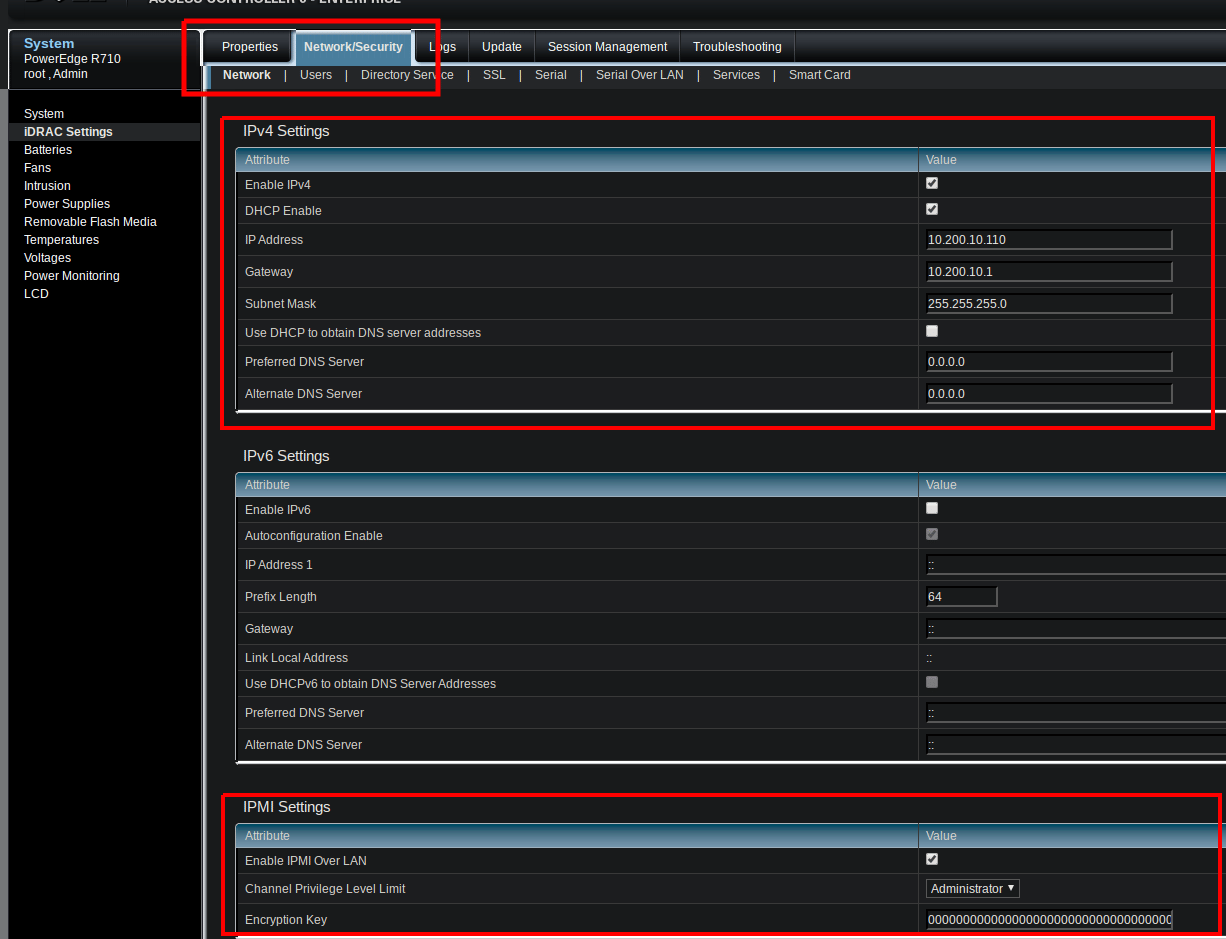 The **Encryption Key** can stay all-zeros (the default) for a standard `lanplus`
session. Set a 40-character hex key only if your security policy requires it.
Click **Apply** to save the change.
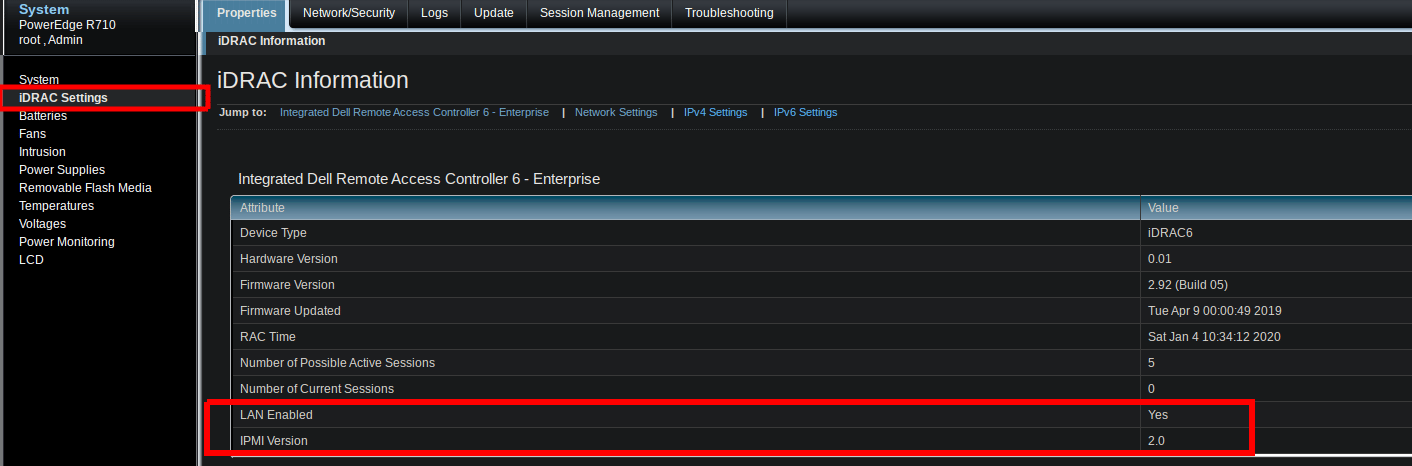
Back on **Properties → iDRAC Settings → iDRAC Information**, confirm **LAN Enabled: Yes**
and **IPMI Version: 2.0**.
The **Encryption Key** can stay all-zeros (the default) for a standard `lanplus`
session. Set a 40-character hex key only if your security policy requires it.
Click **Apply** to save the change.
Back on **Properties → iDRAC Settings → iDRAC Information**, confirm **LAN Enabled: Yes**
and **IPMI Version: 2.0**.
 Then, from the host that will run ipmideck, confirm the LAN channel responds:
```bash theme={null}
ipmitool -I lanplus -H -U root -P calvin chassis status
```
**Path differs by generation:** iDRAC6 / iDRAC7 / iDRAC8 use *Network/Security → Network →
IPMI Settings* (shown above), while iDRAC9 uses *iDRAC Settings → Connectivity → Network*.
Verify the exact path against your hardware.
## Source
[CITED: dell.com/support/manuals, iDRAC9 User Guide, section "Configuring IPMI over LAN using web interface"](https://www.dell.com/support/manuals/en-us/idrac9-lifecycle-controller-v3.1-series/idrac_3.15.15.15_ug/configuring-ipmi-over-lan-using-web-interface)
Then, from the host that will run ipmideck, confirm the LAN channel responds:
```bash theme={null}
ipmitool -I lanplus -H -U root -P calvin chassis status
```
**Path differs by generation:** iDRAC6 / iDRAC7 / iDRAC8 use *Network/Security → Network →
IPMI Settings* (shown above), while iDRAC9 uses *iDRAC Settings → Connectivity → Network*.
Verify the exact path against your hardware.
## Source
[CITED: dell.com/support/manuals, iDRAC9 User Guide, section "Configuring IPMI over LAN using web interface"](https://www.dell.com/support/manuals/en-us/idrac9-lifecycle-controller-v3.1-series/idrac_3.15.15.15_ug/configuring-ipmi-over-lan-using-web-interface)