> ## Documentation Index
> Fetch the complete documentation index at: https://docs.ipmideck.com/llms.txt
> Use this file to discover all available pages before exploring further.
# Lenovo XCC
> 在 Lenovo XClarity Controller(XCC / XCC2)上启用 IPMI-over-LAN,以便 ipmideck 能连接到你的 ThinkSystem 服务器。
**适用于:** 带 XClarity Controller(XCC)和 XCC2 的 Lenovo ThinkSystem 服务器。
Lenovo XCC 对 ipmideck 而言是**实验性**厂商,这些步骤来自 Lenovo 官方
文档和一台真实的 XCC(ThinkSystem SR630 V2)。出于安全考虑,IPMI-over-LAN 在 XCC 上**默认
禁用**,并且 Lenovo 建议在不使用时再次禁用它。
## 步骤
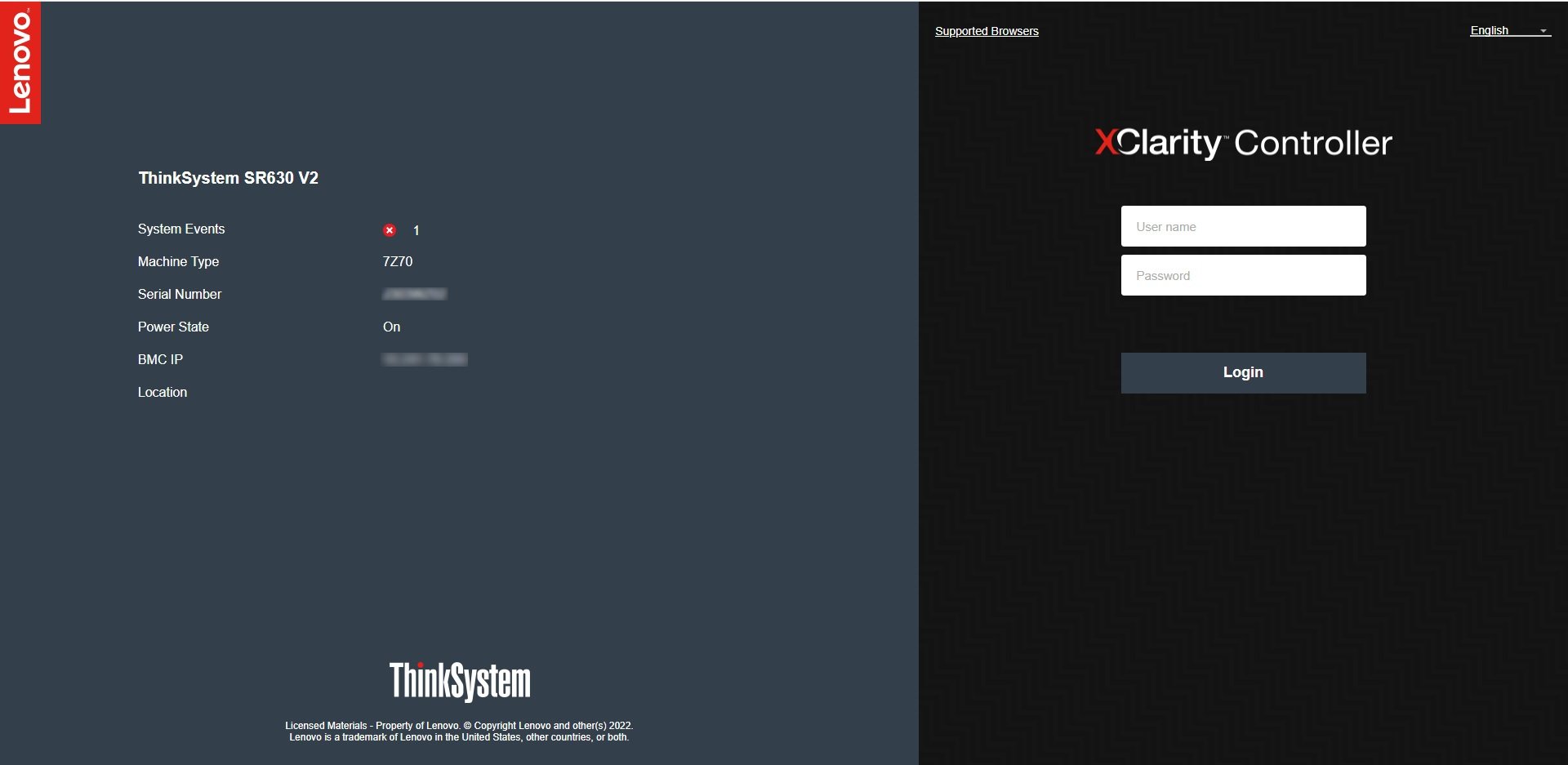
在浏览器中,导航到 XCC IP 地址并登录。默认凭据为
**USERID** / **PASSW0RD**(注意 "PASSW0RD" 中的**零**)。如果它们仍在
使用中,请立即更改。
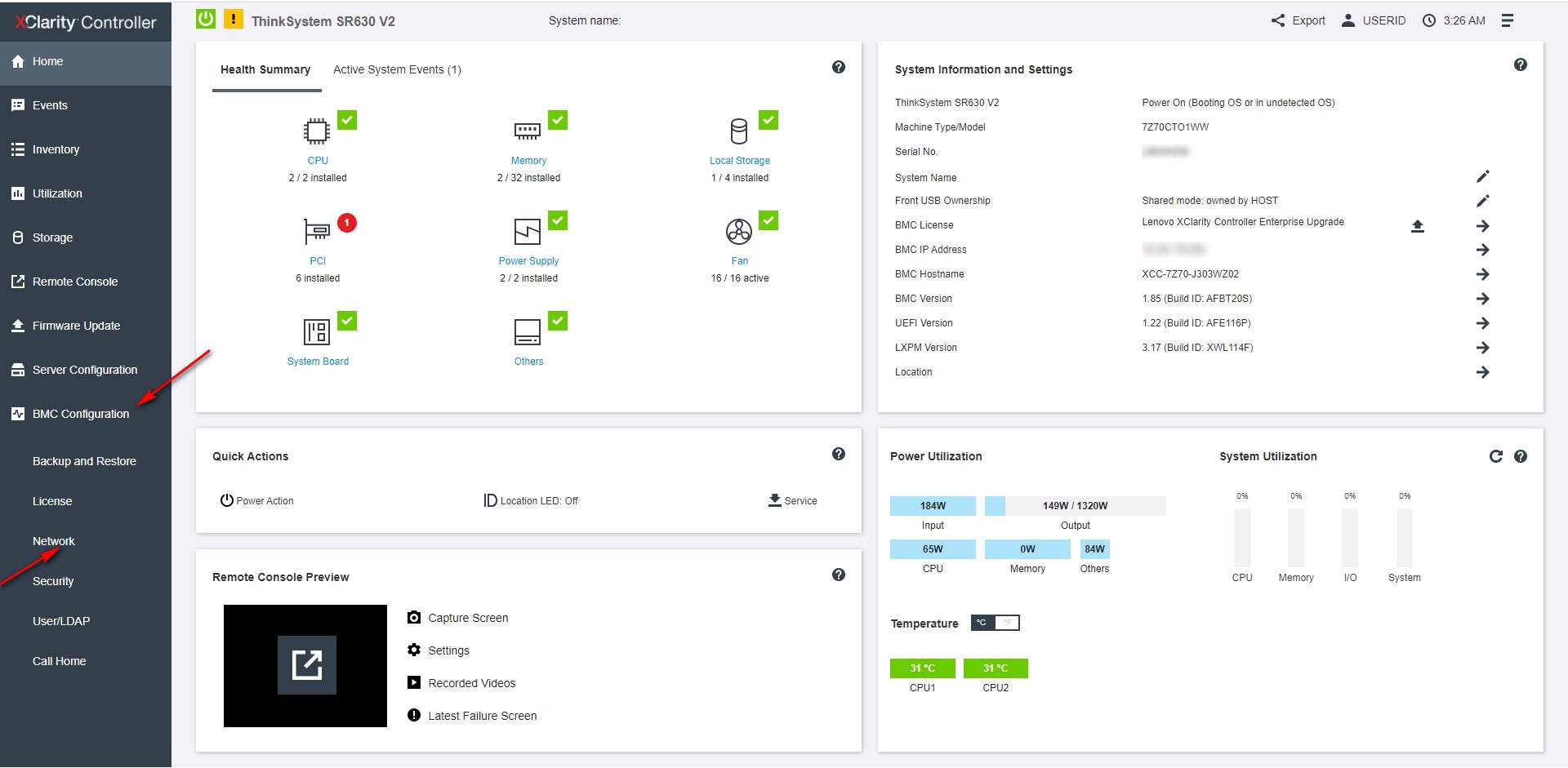
 从 XCC 仪表板,在左侧导航中打开 **BMC Configuration → Network**。
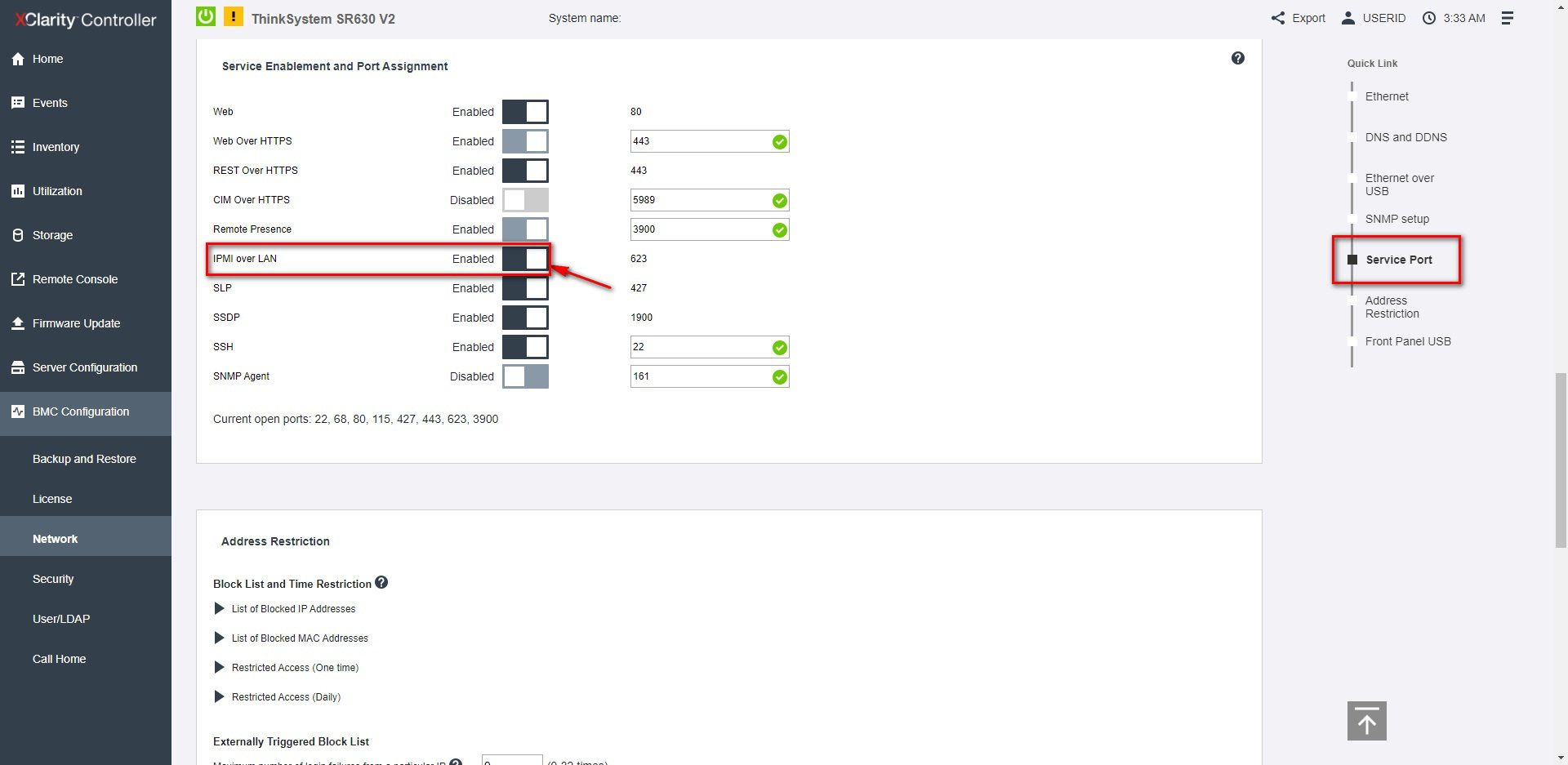
 在 **Service Enablement and Port Assignment** 下,将 **IPMI over LAN** 设为 **Enabled**
(它使用端口 **623**)。
在 **Service Enablement and Port Assignment** 下,将 **IPMI over LAN** 设为 **Enabled**
(它使用端口 **623**)。
 从将运行 ipmideck 的主机:
```bash theme={null}
ipmitool -I lanplus -H -U USERID -P chassis status
```
**标记以供审查:** XCC2(较新的代际)使用相同的路径,但有重新设计的
Web 界面。请针对你的实际硬件验证导航。
## 来源
[CITED: pubs.lenovo.com/xcc, Enabling or Disabling IPMI Network Access (XCC)](https://pubs.lenovo.com/xcc/NN1ia_c_configuringIPMI) ·
[Lenovo Support HT514330, IPMI over LAN (XCC)](https://support.lenovo.com/us/en/solutions/ht514330-ipmi-over-lan-xcc)
从将运行 ipmideck 的主机:
```bash theme={null}
ipmitool -I lanplus -H -U USERID -P chassis status
```
**标记以供审查:** XCC2(较新的代际)使用相同的路径,但有重新设计的
Web 界面。请针对你的实际硬件验证导航。
## 来源
[CITED: pubs.lenovo.com/xcc, Enabling or Disabling IPMI Network Access (XCC)](https://pubs.lenovo.com/xcc/NN1ia_c_configuringIPMI) ·
[Lenovo Support HT514330, IPMI over LAN (XCC)](https://support.lenovo.com/us/en/solutions/ht514330-ipmi-over-lan-xcc)