Enable IPMI-over-LAN on the Lenovo XClarity Controller (XCC / XCC2) so ipmideck can connect to your ThinkSystem server.
Applies to: Lenovo ThinkSystem servers with XClarity Controller (XCC) and XCC2.
Lenovo XCC is a Monitoring-only vendor for ipmideck — sensors, power, SEL, and FRU
work, but ipmideck does not control XCC fans (no reliable in-band restore-to-automatic
path). These steps (from official Lenovo documentation and a real XCC, ThinkSystem SR630 V2)
enable IPMI-over-LAN so ipmideck can connect. IPMI-over-LAN is disabled by
default on XCC for security, and Lenovo recommends disabling it again when it is not in
use.
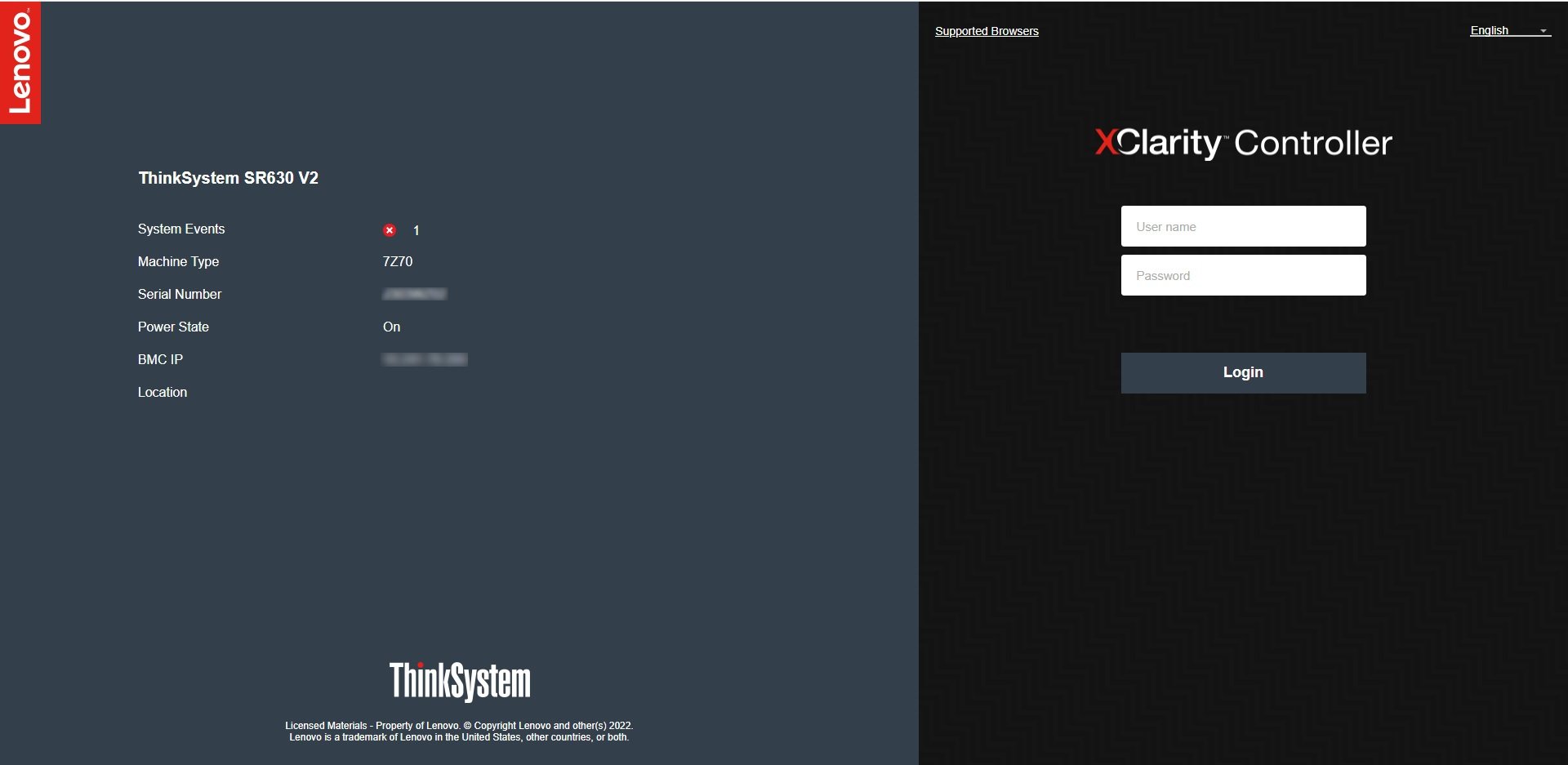
In a browser, navigate to the XCC IP address and log in. The default credentials are
USERID / PASSW0RD (note the zero in “PASSW0RD”). Change them immediately
if they are still in use.
The Lenovo XClarity Controller login screen (default USERID / PASSW0RD).
2
Open BMC Configuration → Network
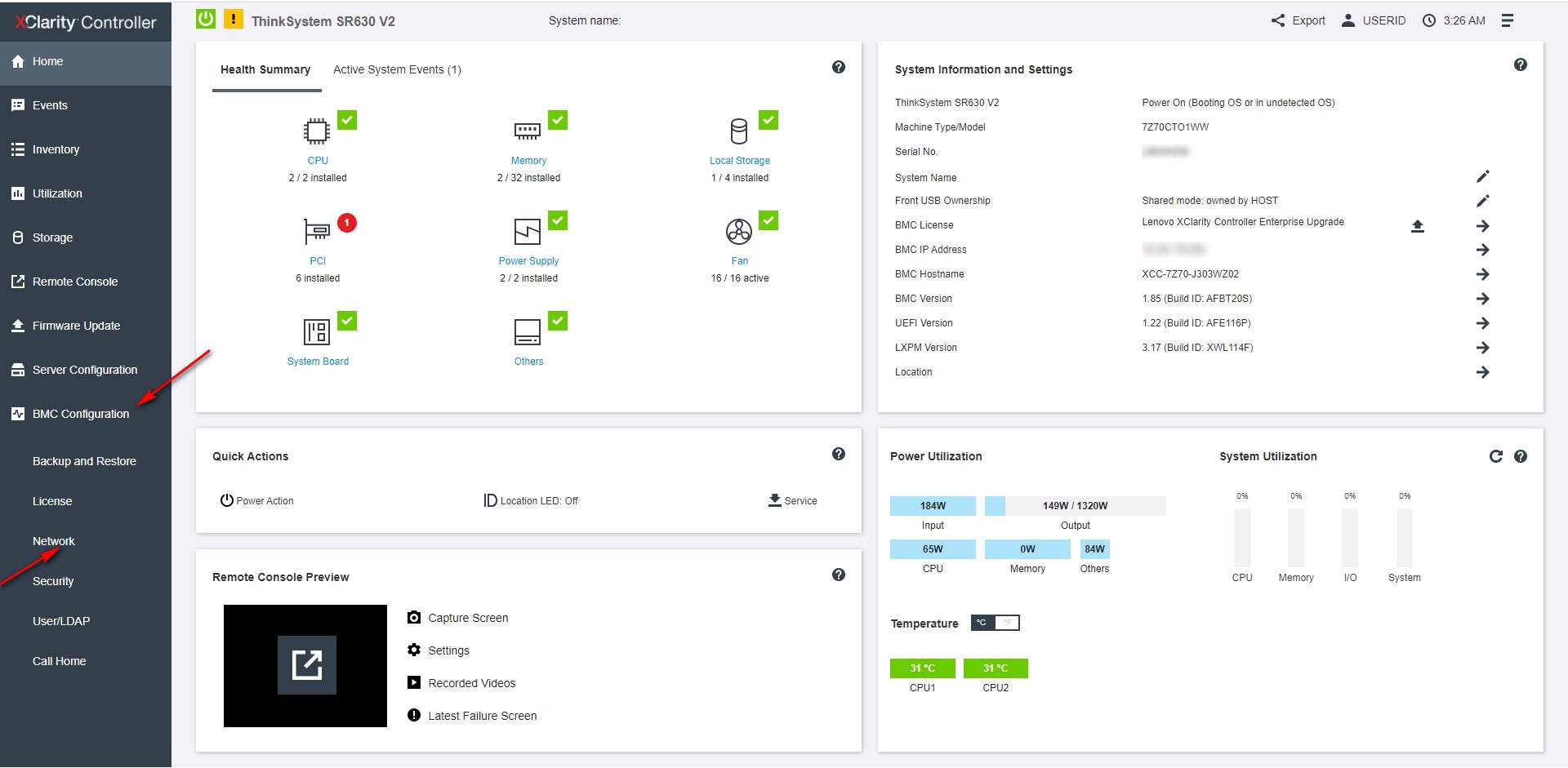
From the XCC dashboard, open BMC Configuration → Network in the left navigation.
From the XCC dashboard, open BMC Configuration → Network.
3
Enable IPMI over LAN
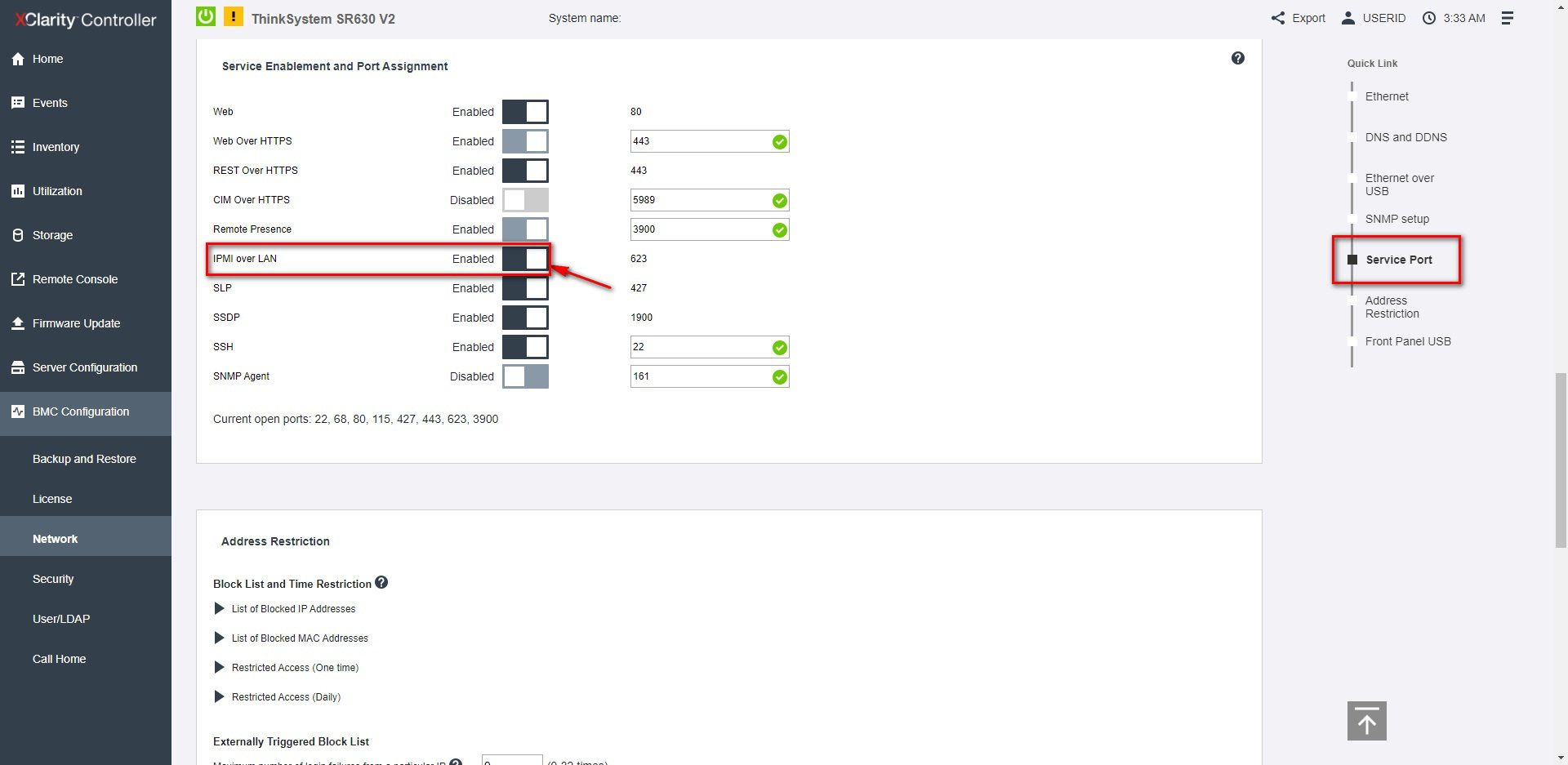
Under Service Enablement and Port Assignment, set IPMI over LAN to Enabled
(it uses port 623).
Service Enablement and Port Assignment: toggle IPMI over LAN on (port 623).
Flag for review: XCC2 (the newer generation) uses the same path but with a redesigned
web interface. Verify the navigation against your actual hardware.